How to Redact a PDF Properly
Use LocalMask to redact PDF text layers, scanned pages, images and visual targets before exporting a clean copy.
How to Redact a PDF Properly
Use this guide for contracts, case files, reports, scanned PDFs, signed pages and image-based PDFs. The goal is to export a copy that no longer exposes the sensitive original content.
Step 1: Import the PDF
Add the PDF on the home screen. If it is password-protected, unlock it first. If it is scanned or image-based, pay extra attention to visible text, seals, faces and QR codes.
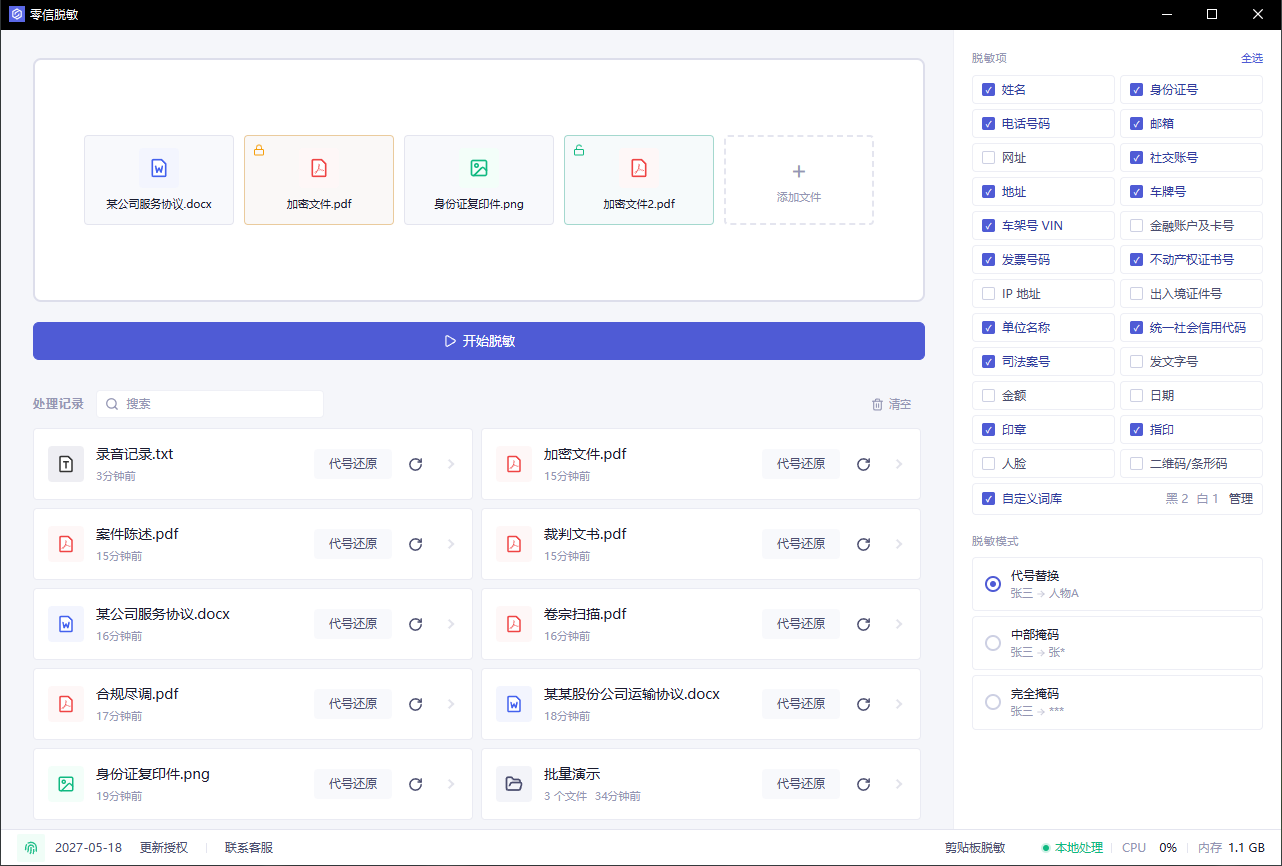
PDFs usually fall into three groups:
- Text PDFs with selectable text.
- Scanned PDFs where each page is an image.
- Mixed PDFs with text, images, signatures, forms or annotations.
Step 2: Choose what to detect
For external sharing, commonly select:
- Names, phone numbers, emails and addresses
- ID numbers and travel document numbers
- Company names and business identifiers
- Case numbers and other IDs such as document numbers and contract references
- Financial accounts, amounts and dates
- Seals, faces and QR codes
Contracts and legal files often leak information in headers, footers, tables and signature pages.
Step 3: Review the hit list
After detection, inspect the hit list before export.
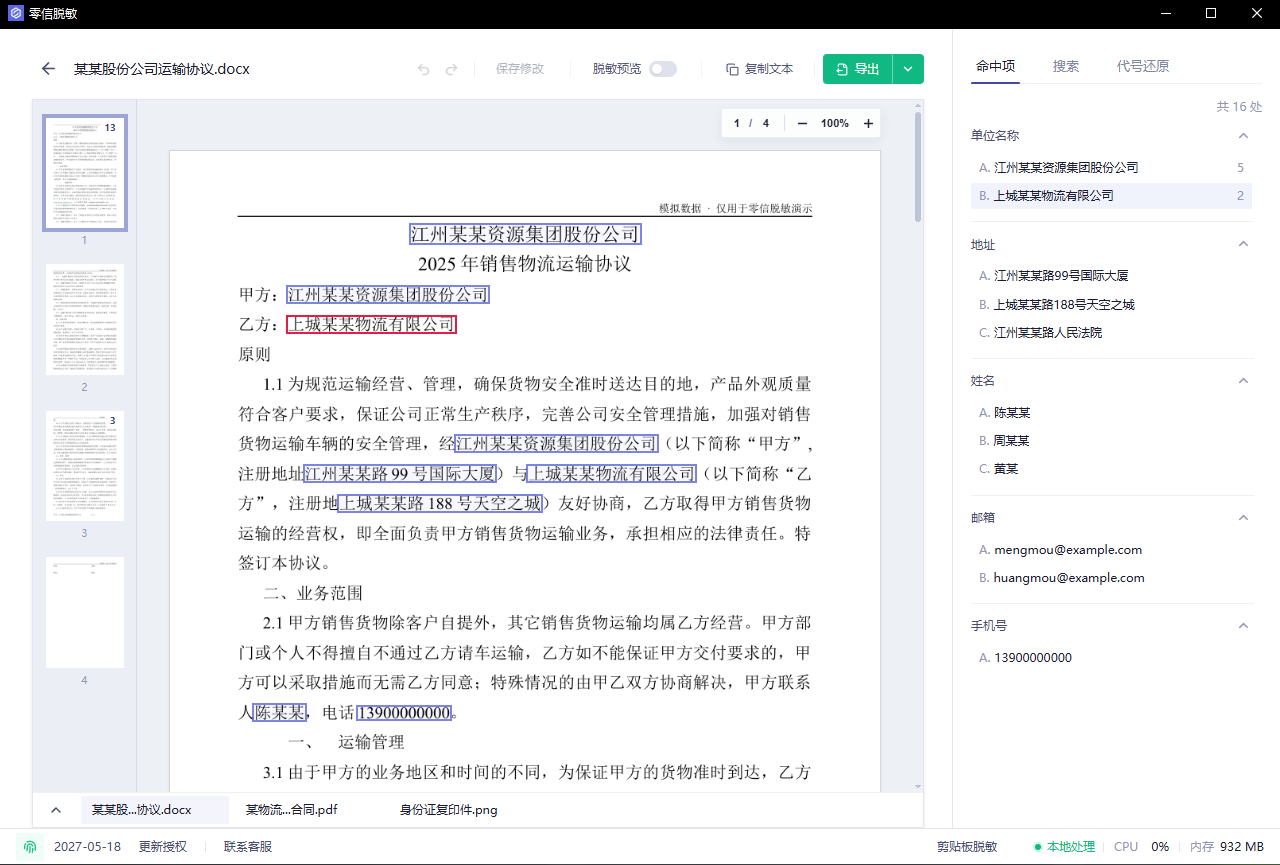
Check whether:
- The same company or person is handled consistently.
- Headers, footers, signature pages and attachments were detected.
- Scanned pages include visual targets.
- Public organization names or legal terms were selected by mistake.
Fix missing or incorrect hits before continuing.
Step 4: Search for original terms
Search for terms that must not appear in the final copy.
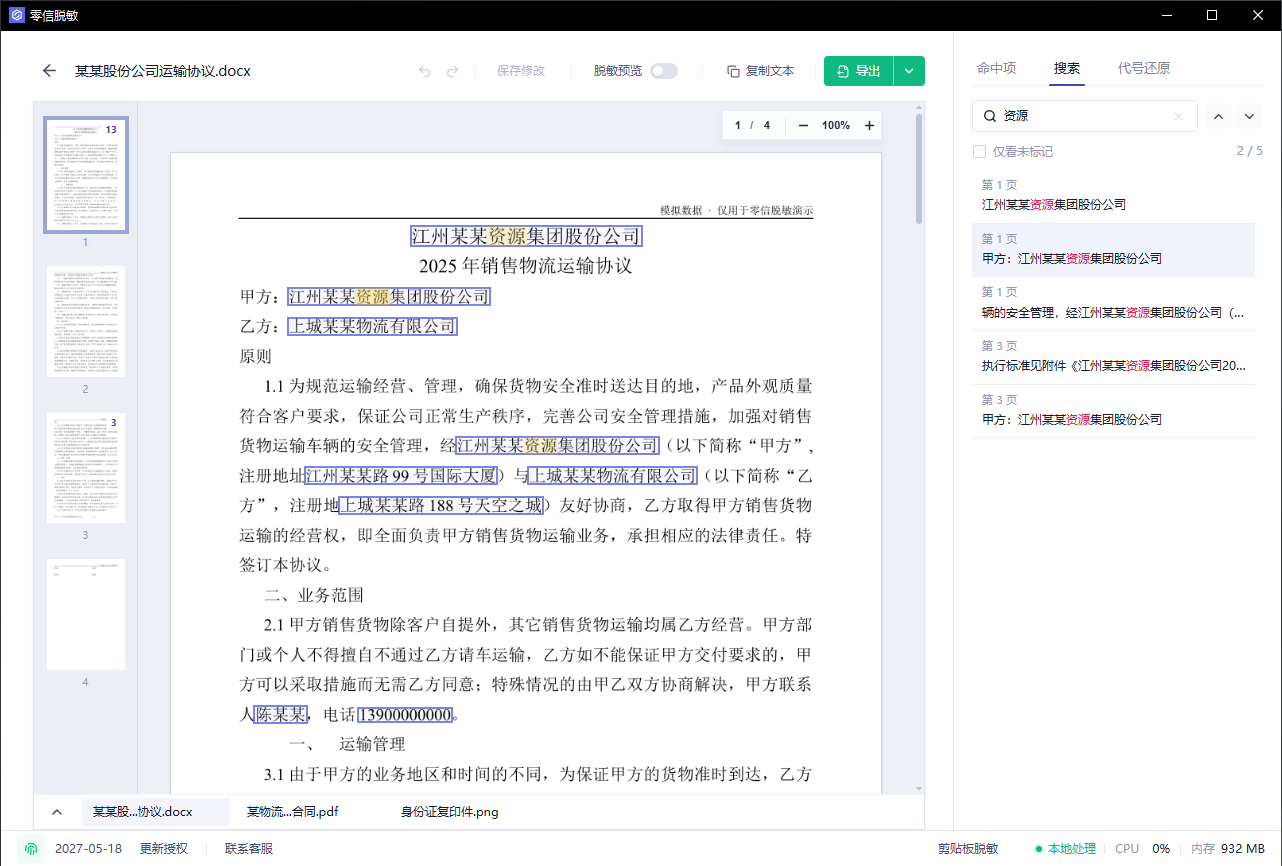
Good search terms include names, phone suffixes, customer abbreviations, project codes, case numbers and email domains.
Review the search results and click Annotate all to add missing annotations in one step. Click .* beside the search box to enable regular expression search, with support for lookarounds.
Step 5: Preview the result
Open the redaction preview and inspect the final appearance.
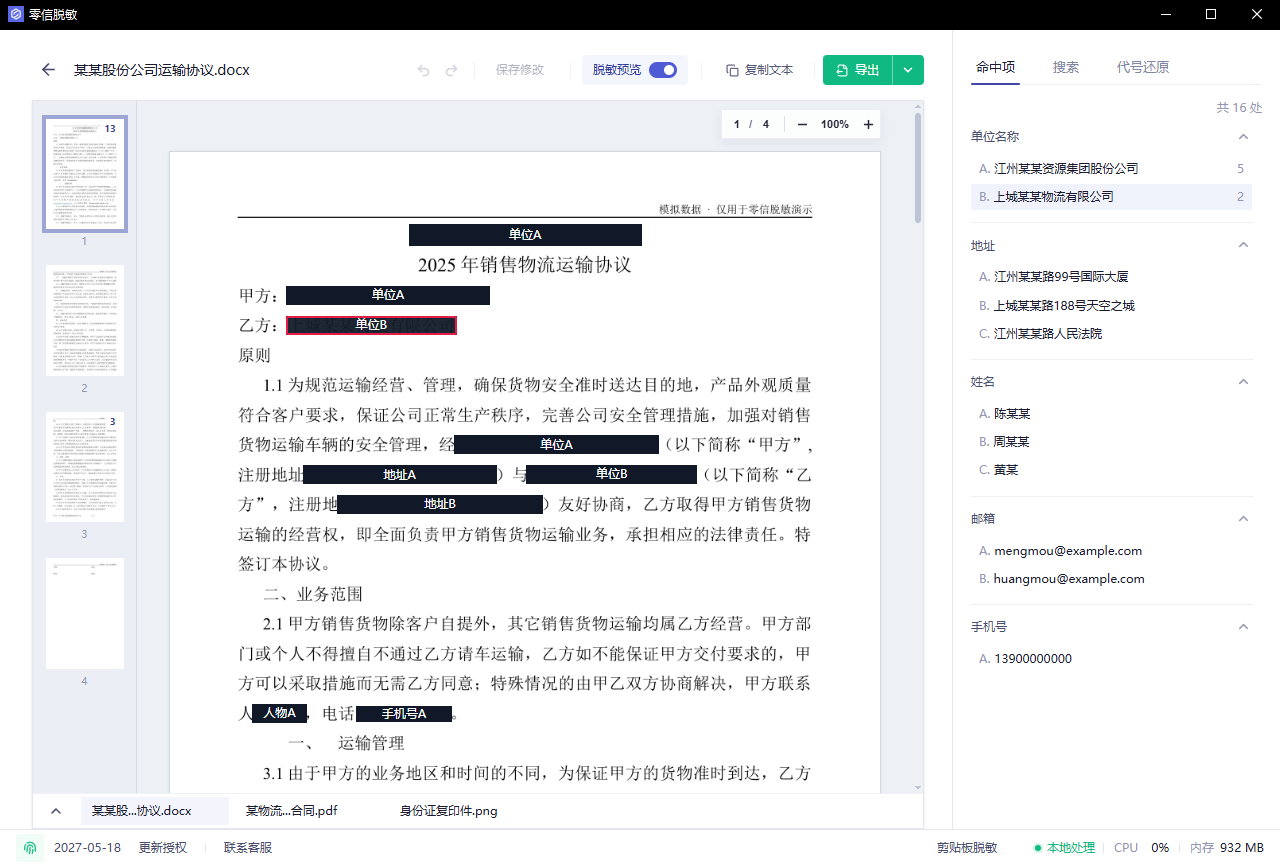
Check that masks or aliases are aligned, the document remains readable, and image-based content is handled.
Step 6: Verify the exported copy
Choose the export for the intended use: select a redacted PDF when page appearance matters, lightweight redacted Markdown when the content is going directly to an AI service, or a more compact, editable redacted Word document (DOCX) when you need to continue editing. The Word export organizes the detected content into paragraphs and table structure.
After export, open the redacted copy and verify it:
- Search for original names, phone numbers and company names.
- Try copying text near redacted areas.
- Open the file in another PDF reader.
- Review signature pages, tables and scanned pages.
Only send the exported redacted copy, not the original PDF.