
Local Offline Redaction Tools vs Online Redaction Tools
Decide whether a document should be redacted locally or can be uploaded to an online redaction tool.
Local Offline Redaction Tools vs Online Redaction Tools
Use this guide before uploading a document to an online redaction site. The question is simple: is this file allowed to leave your environment before it has been redacted?
Step 1: Check whether the file can be uploaded
Ask four questions:
- Does it contain customers, employees, patients, parties or suppliers?
- Does it contain contracts, prices, invoices, payroll, accounts or bank records?
- Do internal rules prohibit uploading it to external websites?
- Will it be sent to AI, a third party, a vendor or a public system?
If any answer is yes, redact it locally first.
Step 2: Use online tools only for low-risk files
Online redaction may be acceptable for:
- Public documents with minor irrelevant information.
- Quick tests.
- Personal files with low sensitivity.
- Material that is explicitly allowed to be uploaded.
If you need to debate whether the file can be uploaded, treat it as not uploadable.
Step 3: Use local tools for batches and mixed file types
For a batch of PDFs, Word files, Excel sheets, CSV files, scans and images, local processing is usually easier to control.
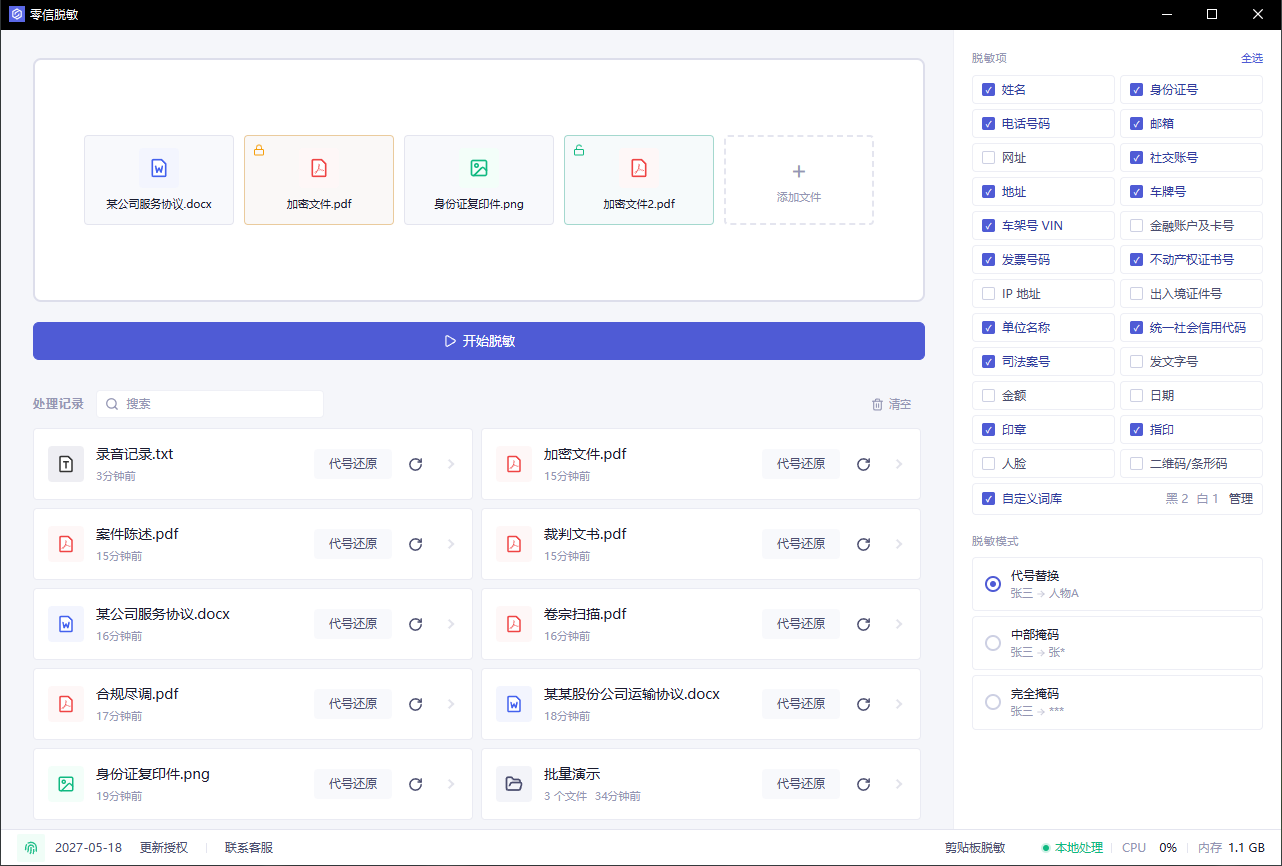
A real redaction workflow usually needs:
- Batch import
- Detection across file types
- Review before export
- Pseudonymization
- Clean exported copies
- Local alias restoration after AI output
- Final spot checks
Step 4: Review hits instead of only looking at black boxes
You need to know what was detected and what was skipped.
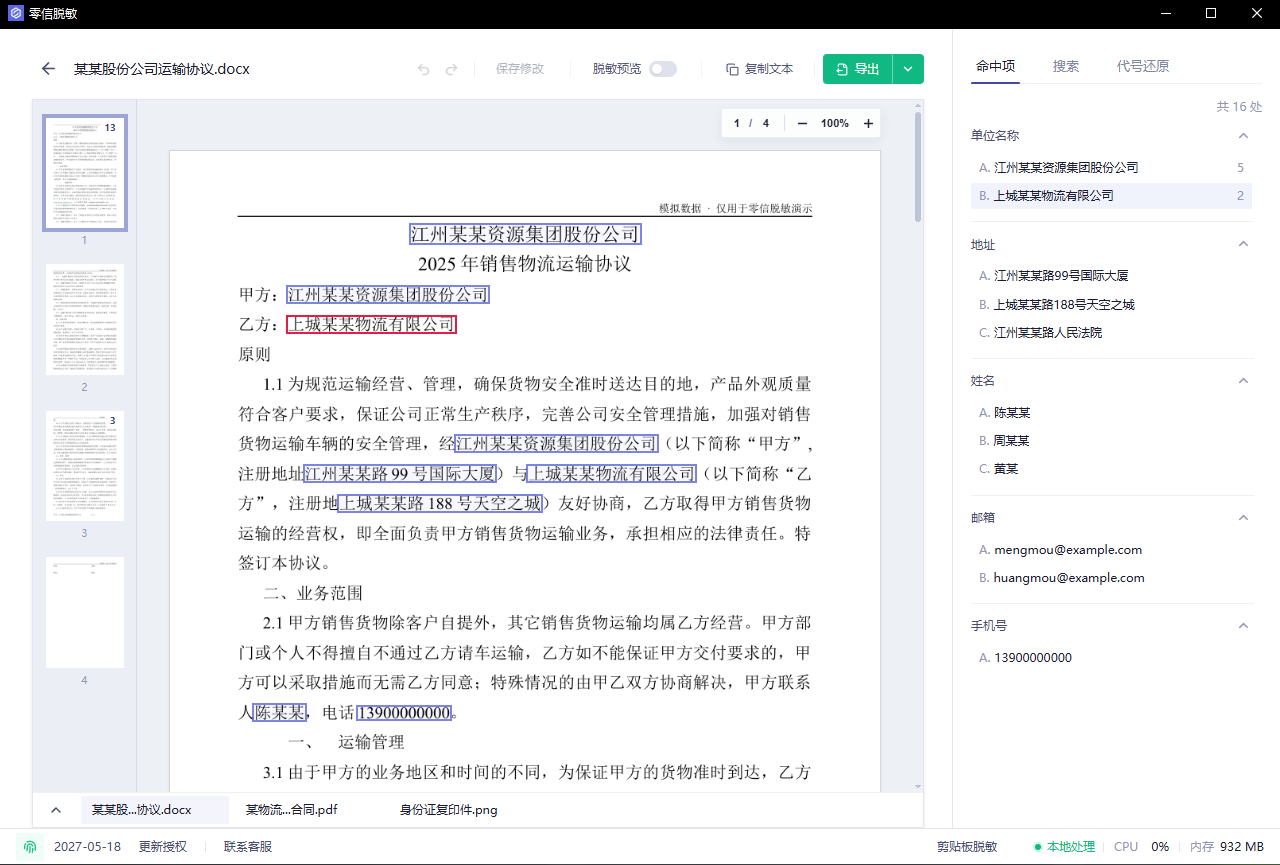
Check names, companies, accounts, headers, footers, tables, images, scans and free-text notes before exporting.
Step 5: For AI use, redact locally first
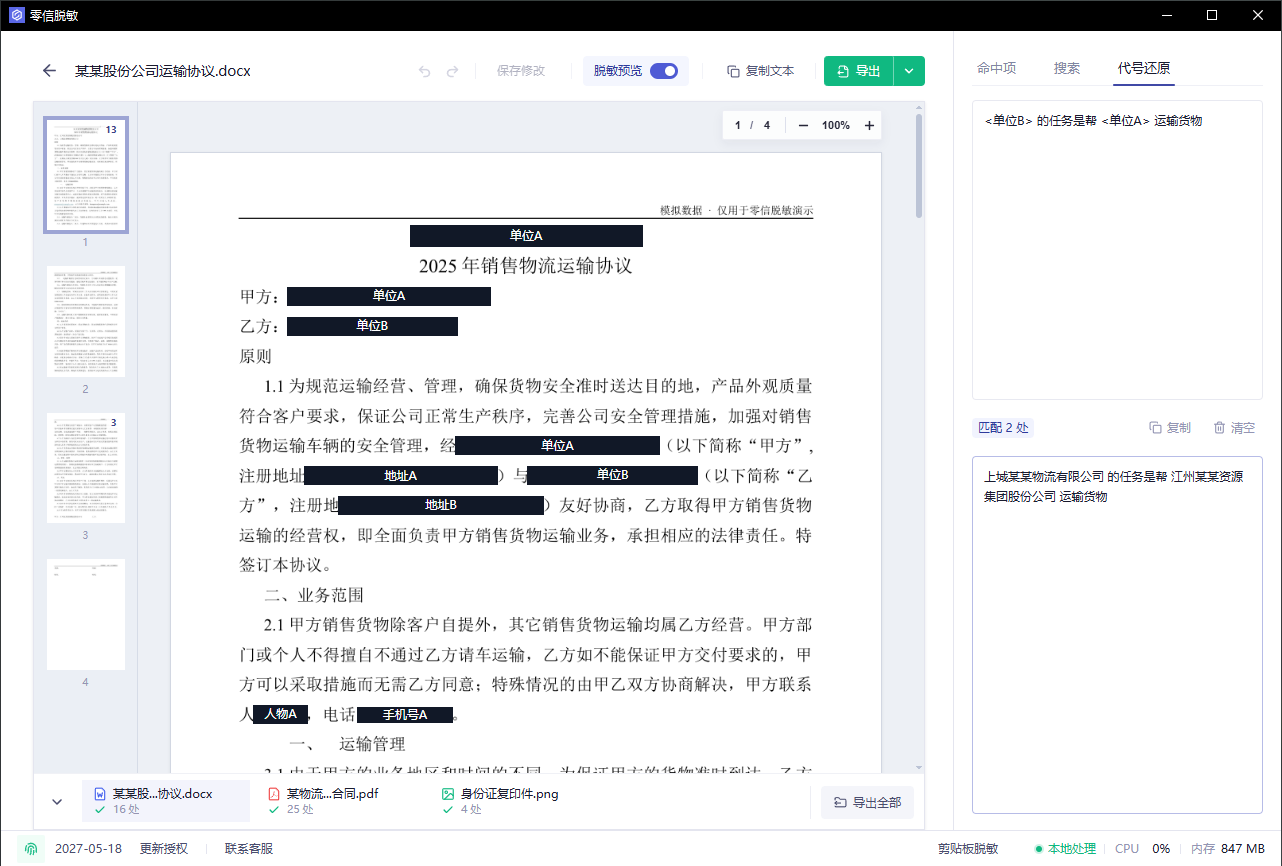
A safer AI workflow is:
- Detect sensitive information locally.
- Replace names and companies with stable aliases.
- Export the redacted copy or copy redacted text.
- Send only the redacted content to AI.
- Restore aliases locally if needed.
Step 6: Final check
Before sharing the result, confirm:
- The file is the redacted copy, not the original.
- Original names, phone numbers and customer names are no longer searchable.
- Headers, footers, attachments, images and scanned pages were checked.
- The original file was not uploaded to a service that should not receive it.
Low-risk and occasional files can use online tools. Customer, employee, contract, finance, legal, medical or AI-preparation workflows should be handled locally.